Create your account and sign in
Register your company, contact name, email, billing country and password. Then sign in to enter the client workspace.
Each step explains what to do and shows what you can expect to see on screen. Google and Instagram authorization screens may vary slightly with provider updates and language settings.
Register your company, contact name, email, billing country and password. Then sign in to enter the client workspace.
Confirm the number of licensed Google locations and the annual amount, then prepay the 12-month term through Stripe. Continue setup after payment is confirmed.
Google location licenses × 1
Final amount shown before checkout
From Connections, add Instagram accounts one at a time. Complete the Meta/Instagram authorization flow for the account you want to use.
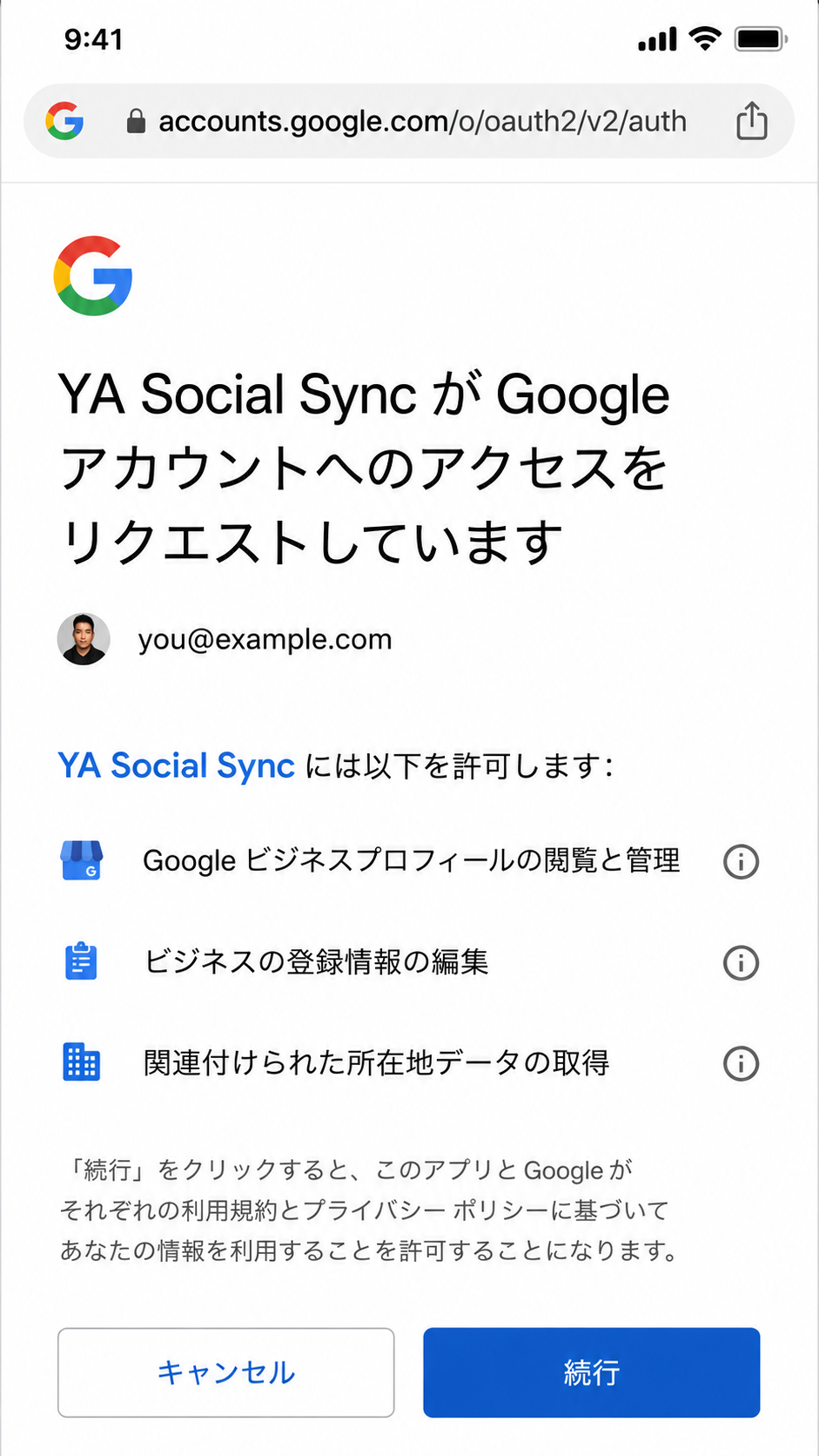
Select Connect Google to open Google’s authorization screen. Choose the Google account that manages the Business Profile, review the requested permissions and select Continue.
The image below is an example. Google’s screen and wording can vary by language and Google updates.

After Google is connected, refresh locations and add the target Business Profile from Locations. Select the Instagram account or accounts that should sync to that location.
New accounts start with Auto Sync OFF. Even after Instagram, Google and locations are connected, YA Social Sync does not begin background automatic posting at this stage.
Google connection alone does not start syncing.
In Sync Settings, review the authorization notice, enable Automatic synchronization and save. Turning it ON authorizes YA Social Sync to automatically synchronize eligible content from connected Instagram accounts to the selected Google locations.
Use the dashboard to check connection/setup status and Posts to review successful, failed or needs-attention synchronization history. Manual sync is also available when needed.
To stop automatic posting while keeping connections, turn Auto Sync OFF. To end access to Instagram or Google, disconnect the relevant service from Connections. When Google is disconnected, stored credentials are deleted and YA Social Sync also attempts provider-side revocation.

From Billing you can cancel the next annual renewal. This does not terminate the current prepaid 12-month term early. Service remains available until the end of the paid term.
Current paid term: Active
Service remains available through paid term endSettings provides controls to delete integration data or request account deletion. Deleting integration data removes OAuth credentials. Contract, payment and audit records that must be retained for legal/accounting purposes may be kept only for the necessary period.